Work / Mesh App
Mesh App
CRM and order processing for trades and service businesses in one app, from the first inquiry to the paid invoice.
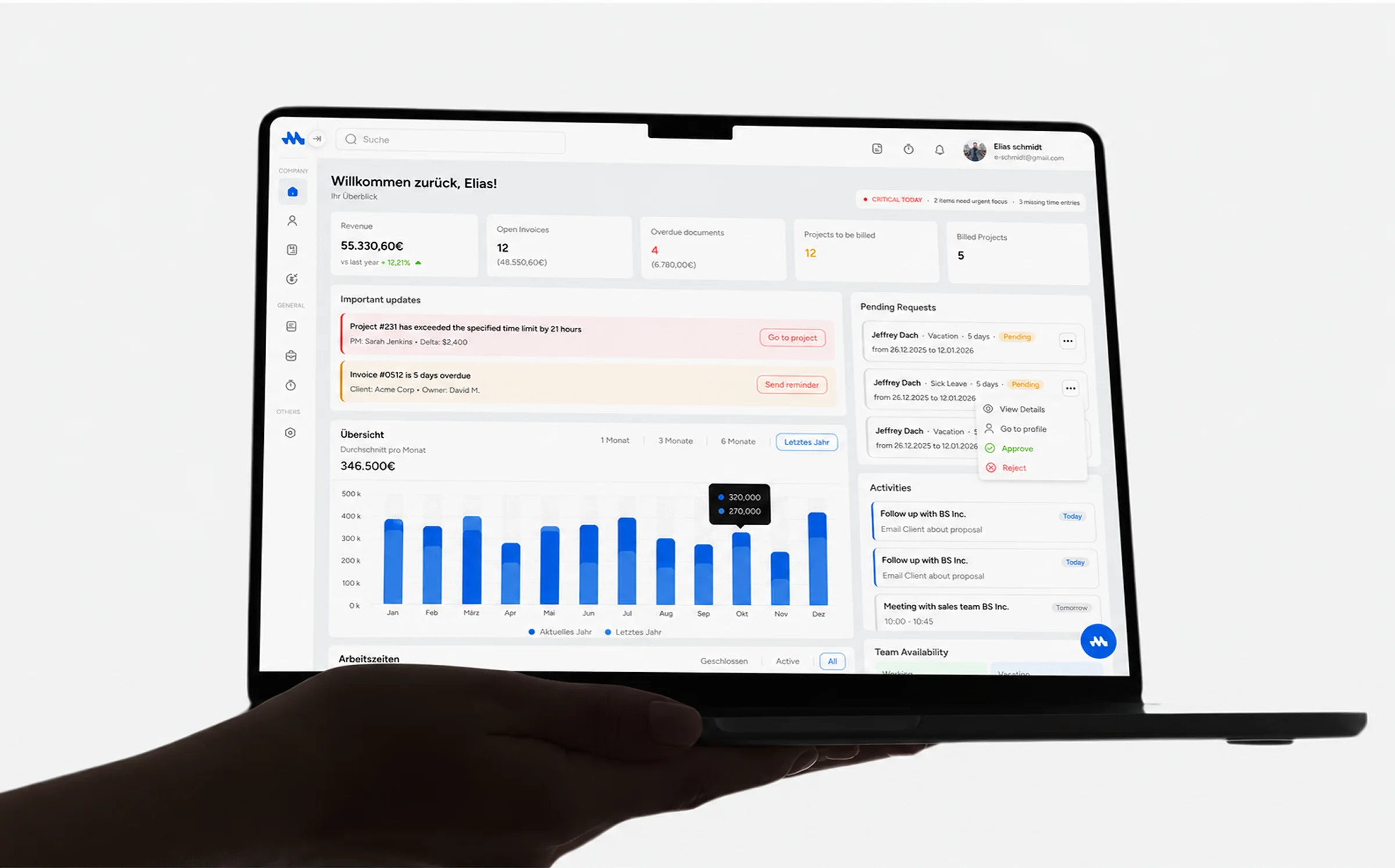
CRM and order processing for trades and service businesses in one app, from the first inquiry to the paid invoice.
Customer figure: meshapp.io, October 2026.
One system, from the first inquiry to the paid invoice.
Mesh App is business software for trades, construction, and service companies in Germany and Austria: electricians, roofers, engineering offices, agencies. A typical customer has a small office team and people out on jobs.
Before Mesh, the customer list, the quotes, the project plan, the timesheets, and the invoices lived in different tools. I designed the product from scratch: the information architecture, the interface for desktop and mobile, and the design system behind both.
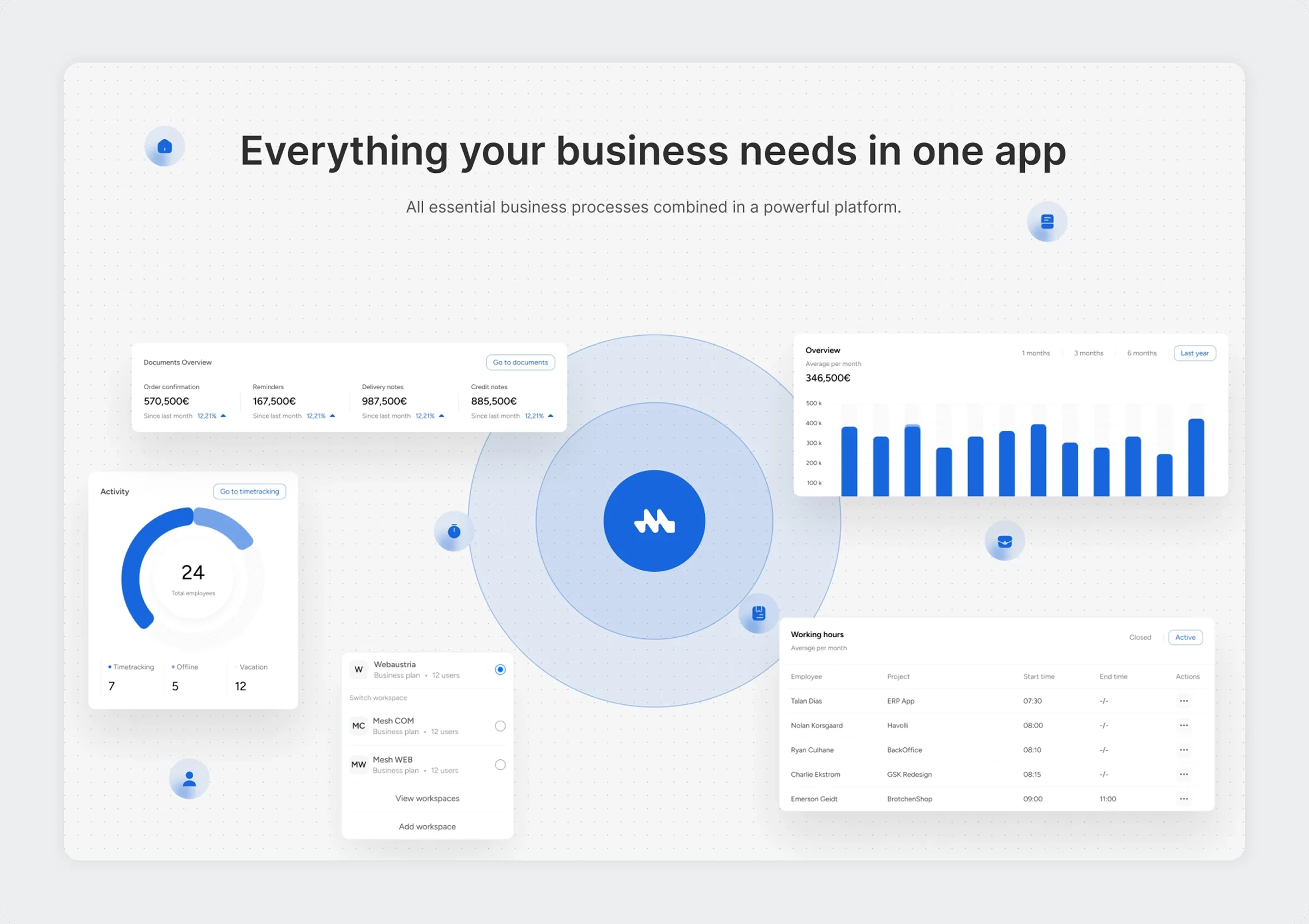
Five tools for one job, and nothing connecting them.
Customers, projects, time, documents, and payments each had their own tool. Nothing linked a quote to the project it became or the invoice it ended in.
Administrators, managers, and team members need different data and different actions, inside a structure that still feels like one system.
Invoices, costs, and budgets need a clear hierarchy, so a figure can be trusted at a glance.
Part of the team sits at a desk. The rest is at a customer's site with a phone, and both have to see the same state of the job.
On top of that, the product had to keep working as the business, the feature set, and the data grow. Whatever structure I chose had to take new modules later.
From workflows to a system, in four steps.
I mapped the key business workflows and defined the user roles. The core journeys were managing projects, generating invoices, tracking financial performance, and converting leads into clients.
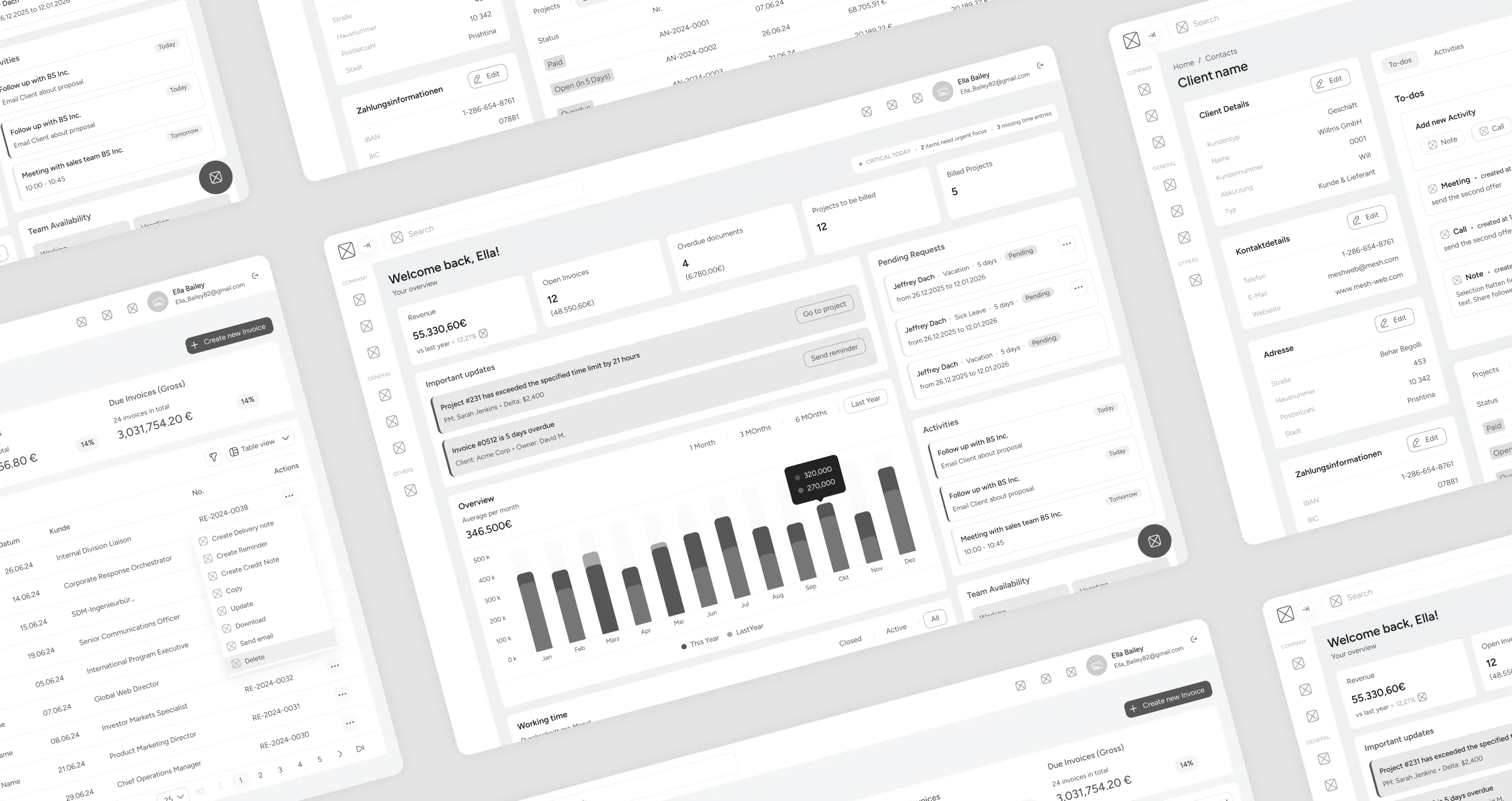
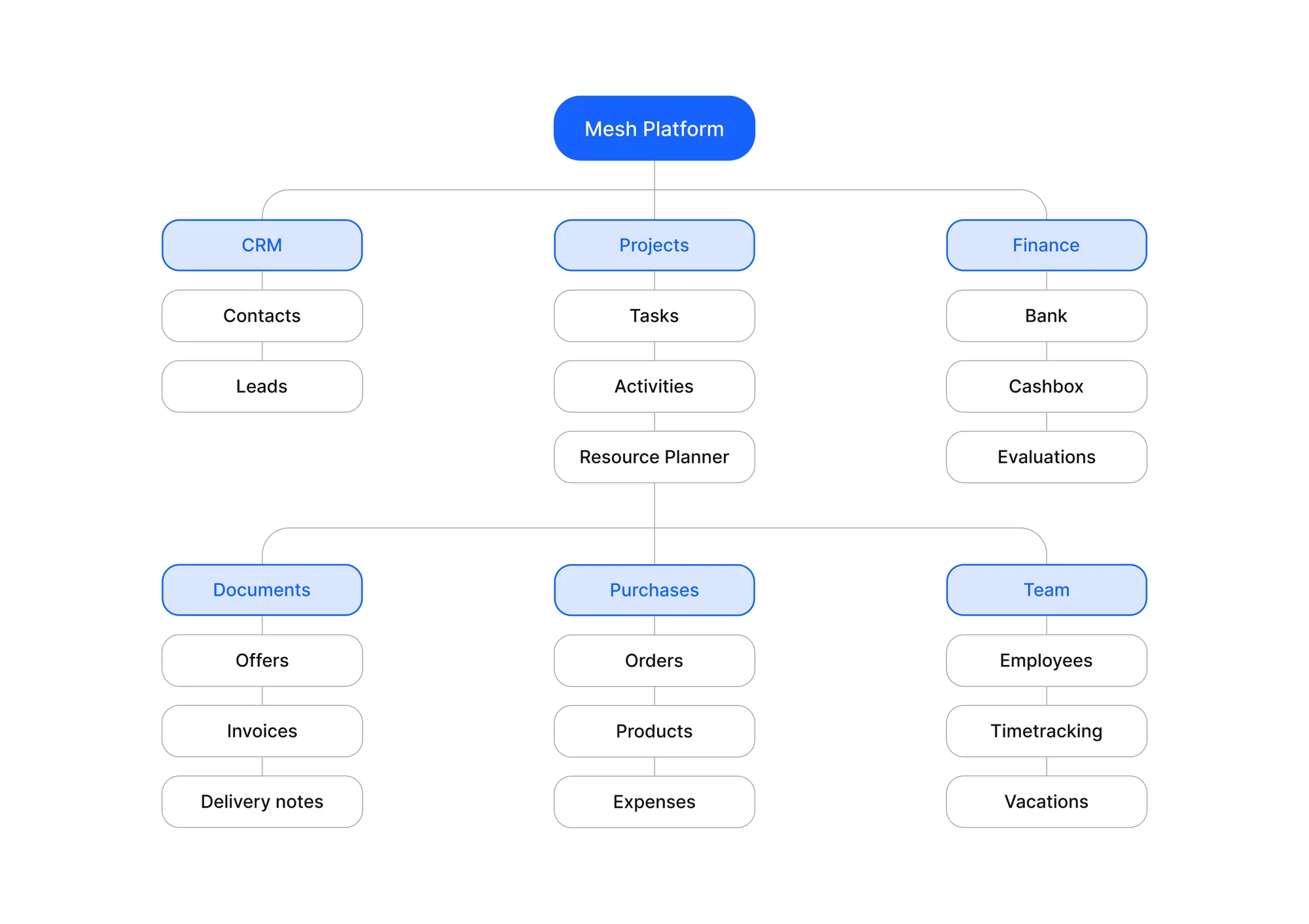
The information architecture groups everything into modules, so moving between dashboards, reports, and operational tools takes no detours.
Wireframes settled the layouts and the navigation patterns before any visual design, with clarity and efficient navigation as the test.
A modular design system for dashboards, data tables, financial summaries, and interaction components, then the final interface on top of it.
Every job carries one status, from request to payment.
The product is organised around the life of a job. A project moves through the same seven statuses whoever is looking at it, and each module takes care of one part of that line.
Contacts and leads: the customer database, and every inquiry from first contact on.
Tasks, activities, and a resource planner for every job.
Bank accounts, the cash box, and evaluations of income and costs.
Offers, invoices, and delivery notes, each with its own status.
Orders, products, and expenses.
Employees, time tracking, and vacations.
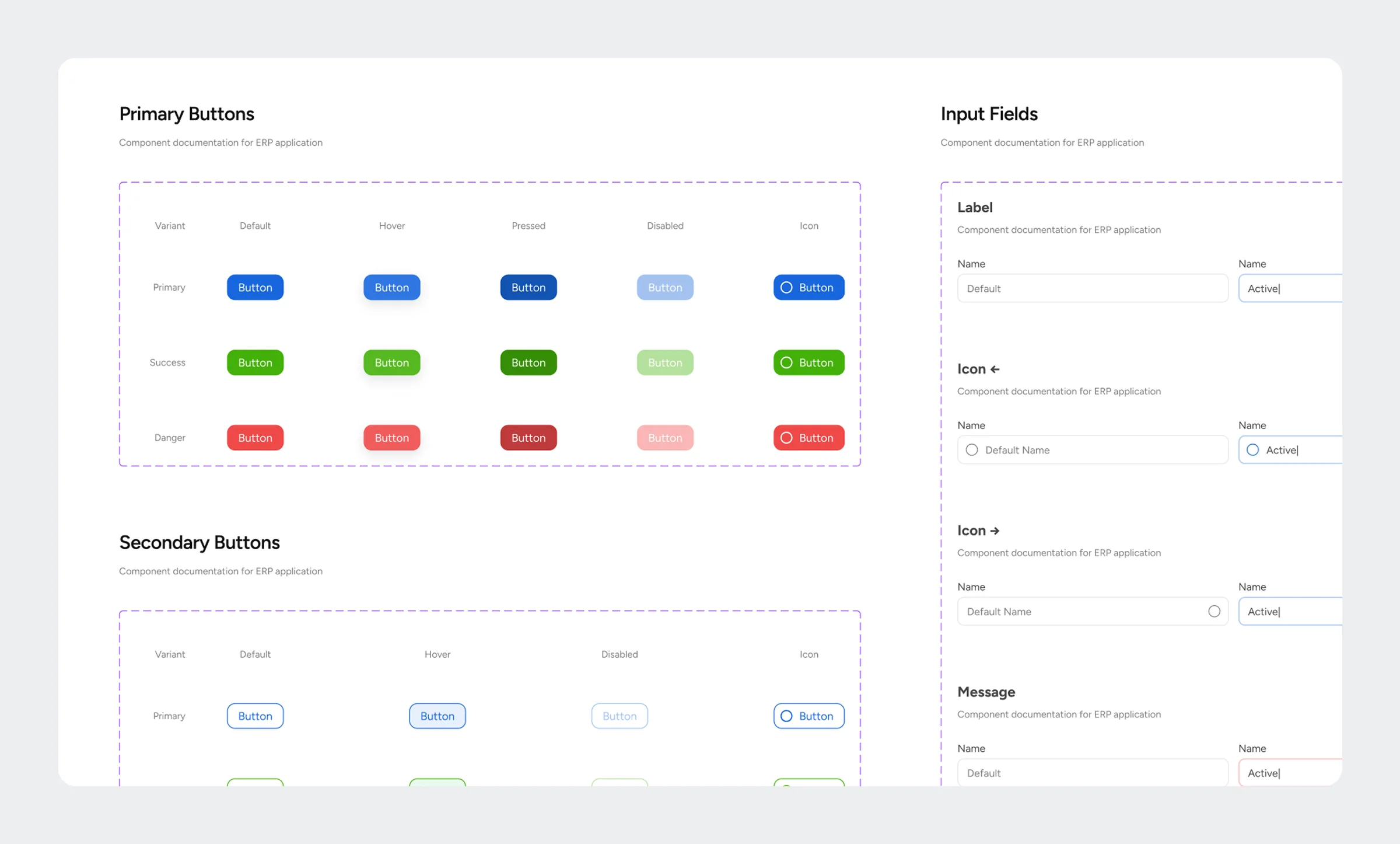
One blue for actions. Colour only where it means something.
The interface is quiet on purpose: white cards on a light grey canvas, one blue for anything you can act on, and colour kept for status. In a product full of tables and figures, a coloured chip has to be a signal.
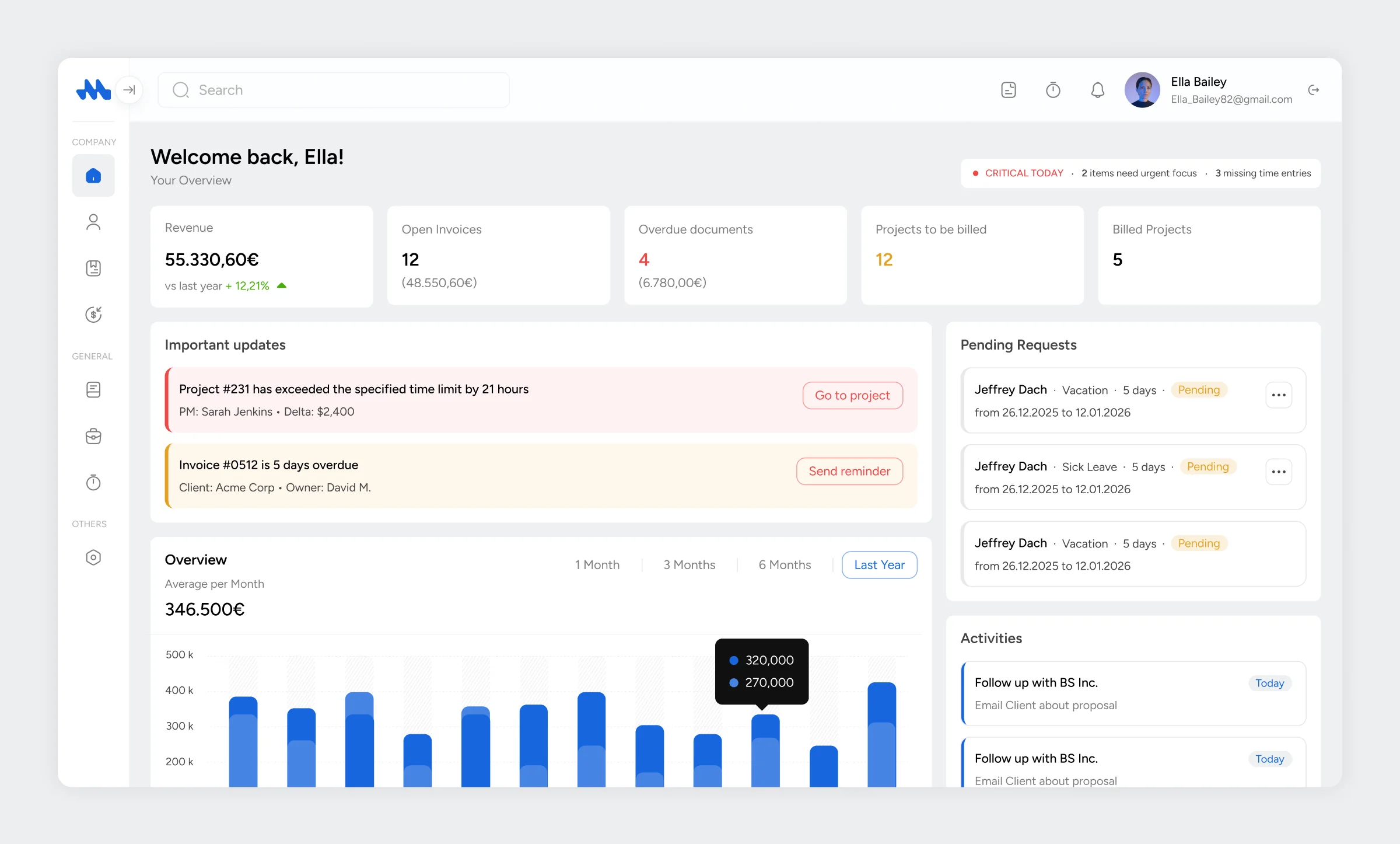
The dashboard opens with what needs attention today: revenue, open and overdue invoices, and the projects that are ready to bill. An alert names the exact project or invoice and offers the next step next to it.
Key features
The project list filters by lifecycle status, from requested to paid. Inside a project, planned and actual sit side by side: costs, hours, and income against budget, with a warning when a threshold is crossed.
Key features


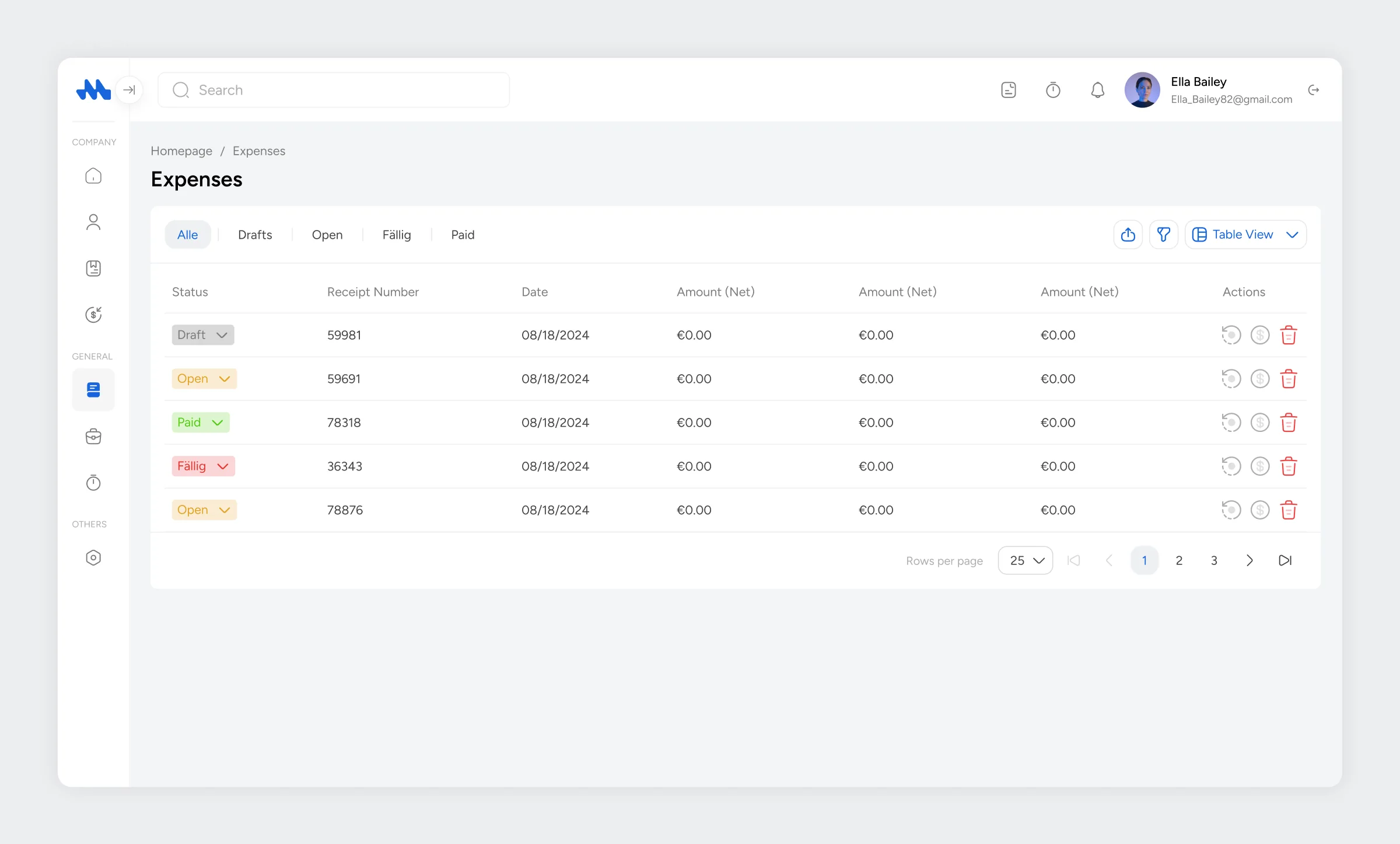
Quotes, order confirmations, delivery notes, invoices, and expenses share one table pattern. Each row carries a status chip, so an overdue item stands out without opening it.
Key features
Employees, their positions, and their leave requests sit in the same system as the projects they work on. Hours are tracked per employee and per project, so time ends up on the right invoice.
Key features


Leads come in through forms or by hand and move through a visual pipeline. When one is won, it carries on as a customer and a project in the same system.
Key features


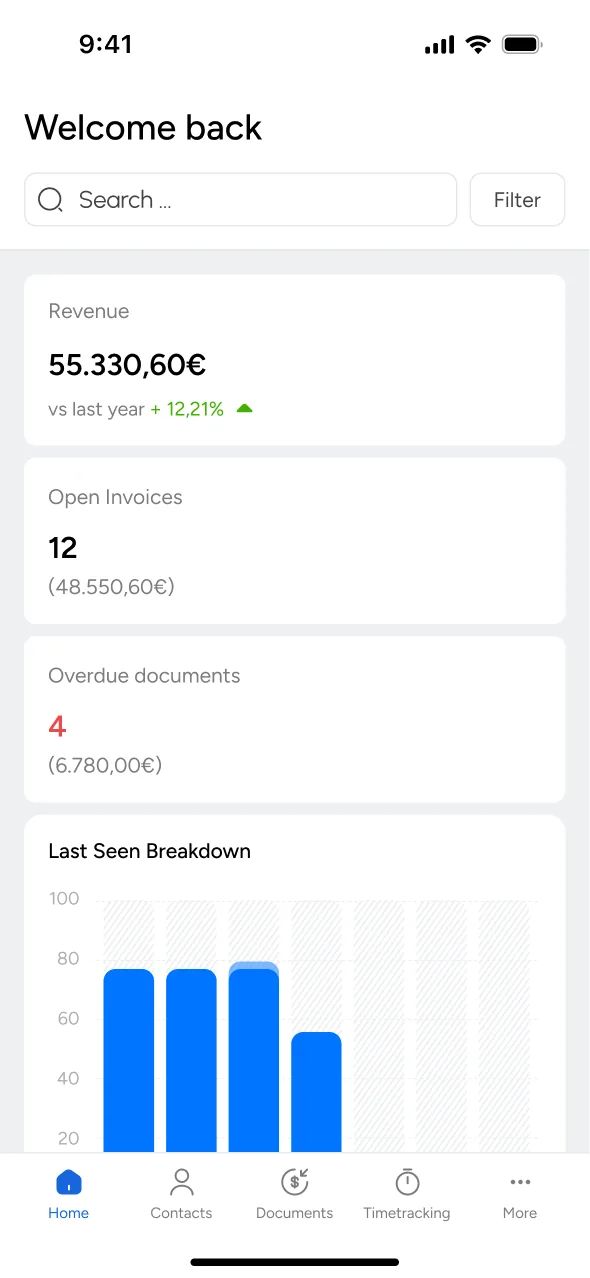
The mobile app is the same database as the desktop, designed for people who are standing at a customer's site. They look up a contact, check a project's status and tasks, start and stop a timer, and tick off what is done.
Key features
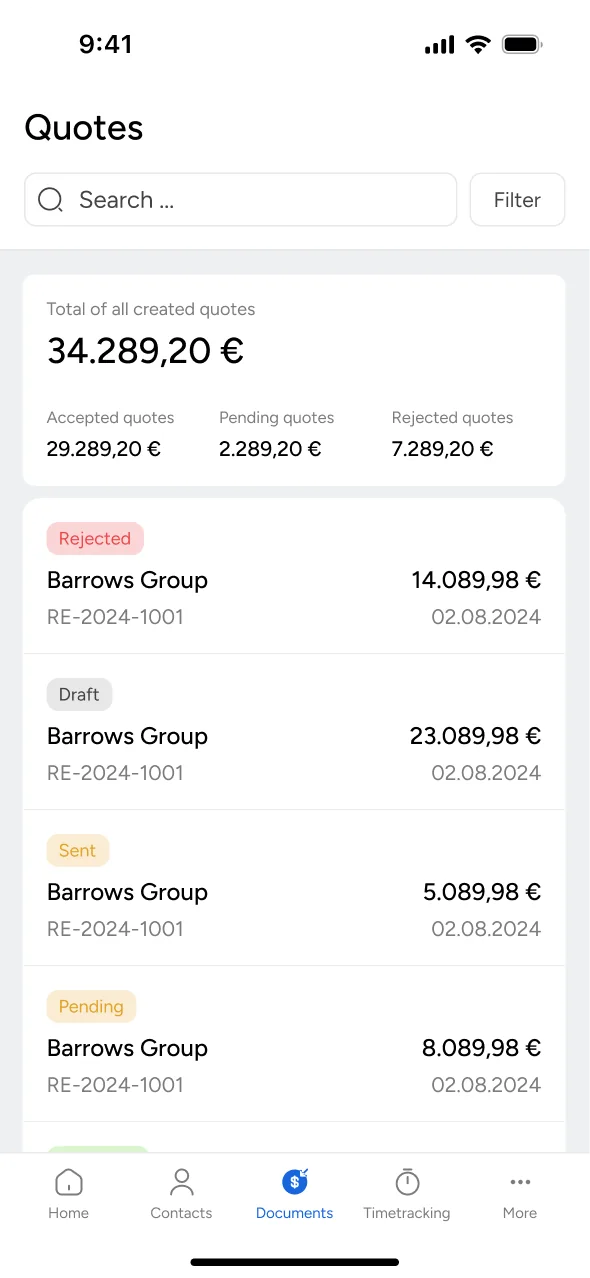
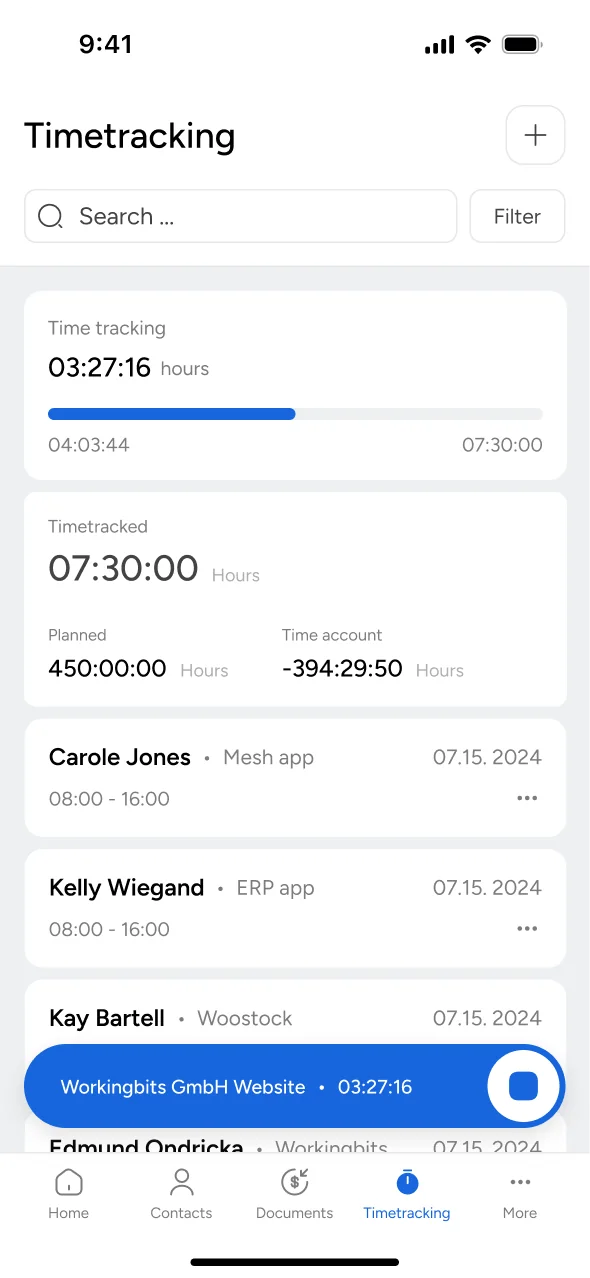
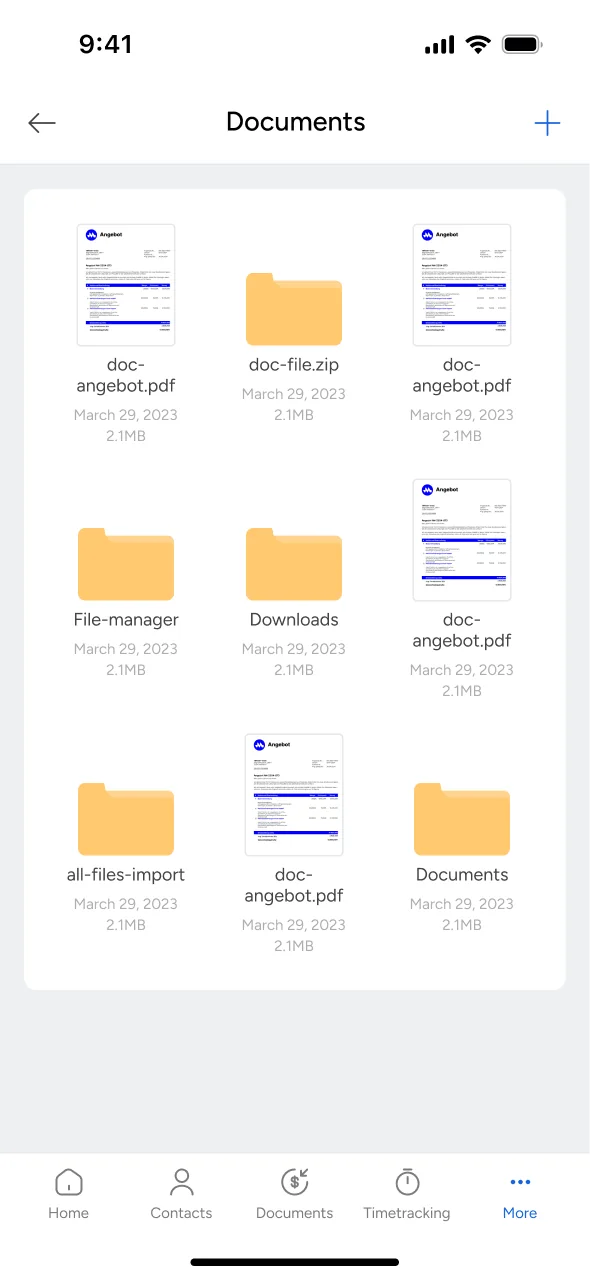
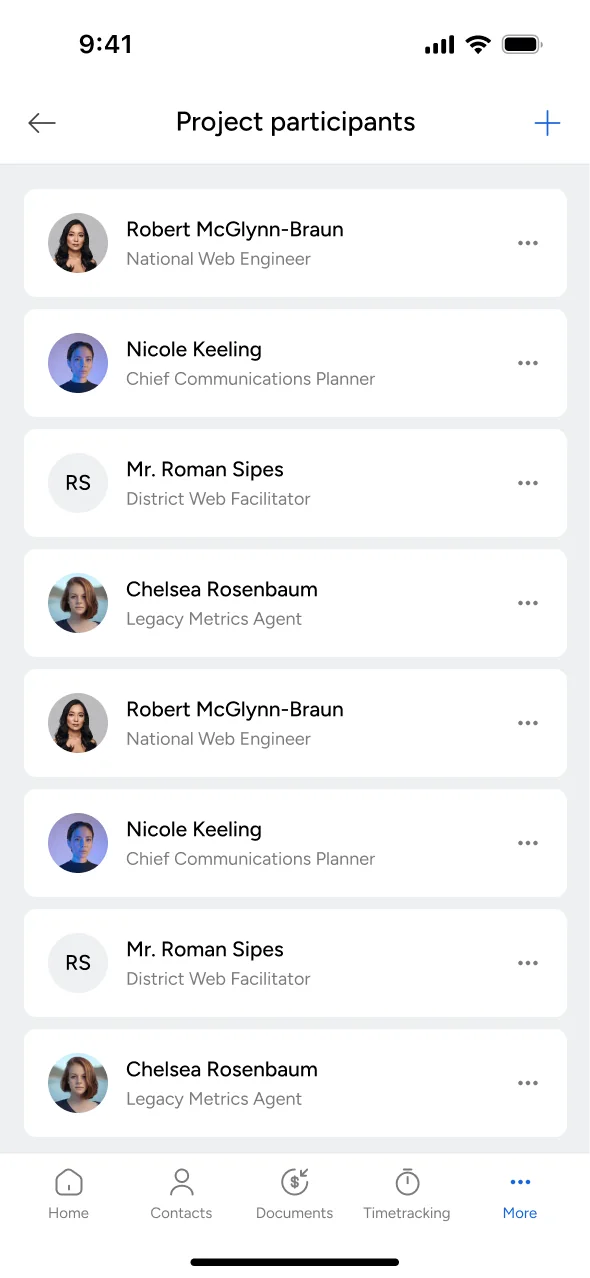
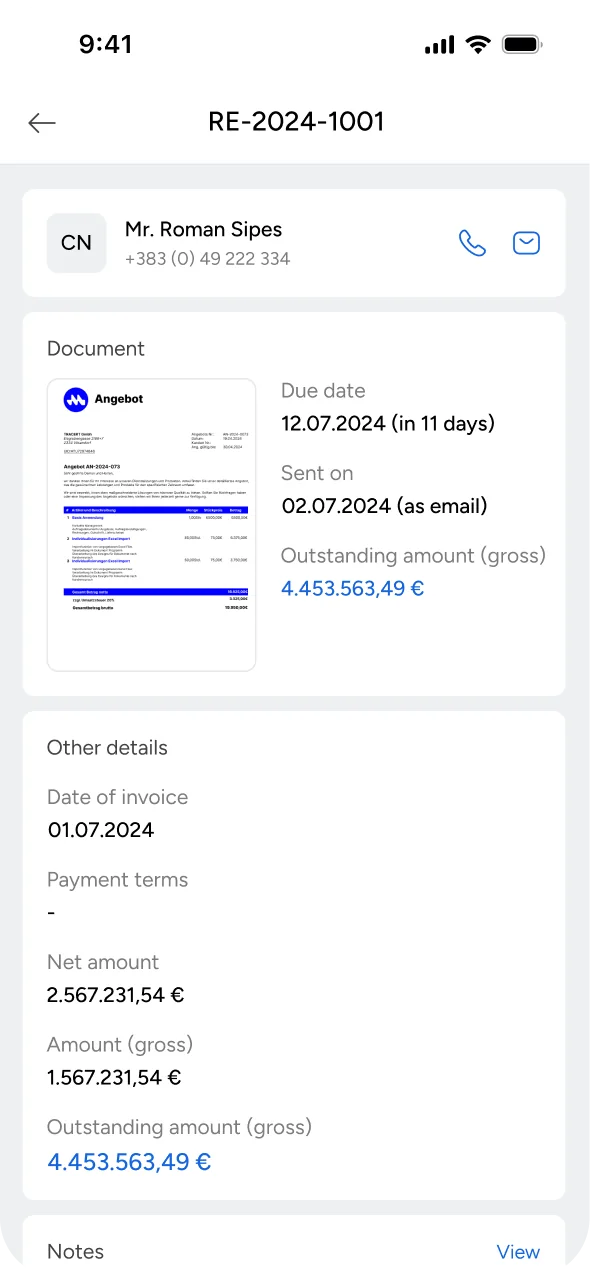
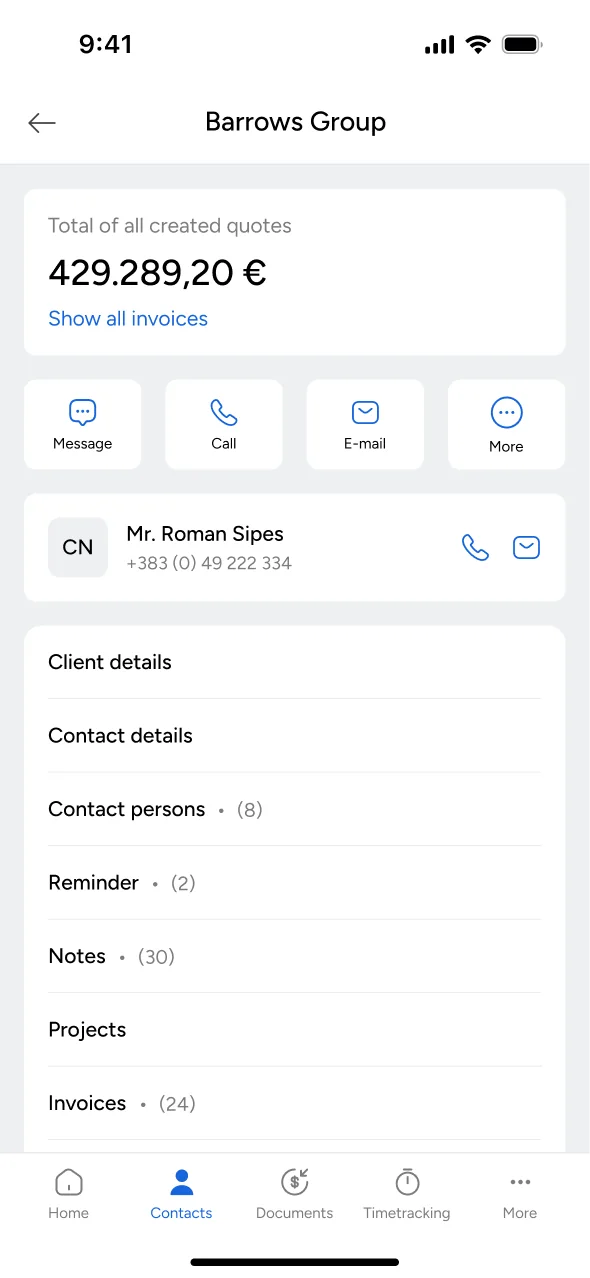
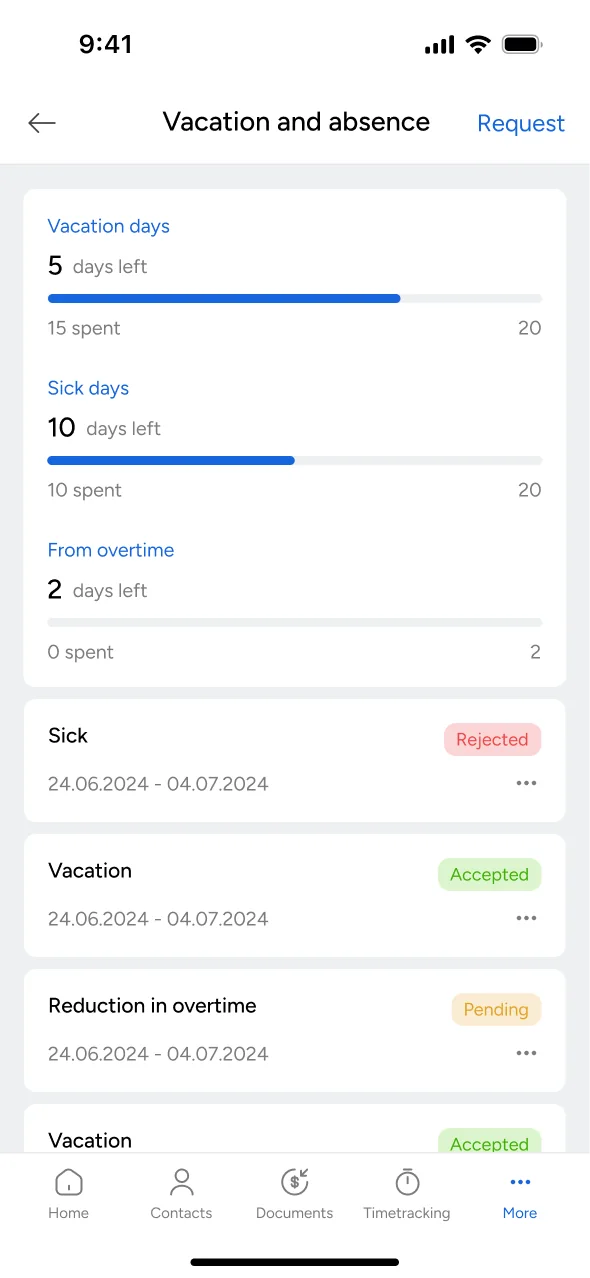
One product in place of five tools.
Mesh App is live on the web, the App Store, and Google Play. According to meshapp.io, 40 businesses in Germany and Austria run their work on it.
The product was planned around five core functions: projects, employees, invoicing, finances, and leads. In the design they are grouped into six modules: CRM, projects, finance, documents, purchases, and team. Each company switches on the ones it needs.
“Top App, alles intuitiv gestaltet. Keine Einschulung erforderlich.”
Great app, everything designed intuitively. No training required.
CadVision GmbH, engineering office. Customer review on meshapp.io.